
Understanding Foldable LED Architecture and Failure Points
Foldable LED posters represent a peak in flexible display engineering. Unlike static panels, these systems rely on a complex interplay between rigid LED modules and flexible interconnects.
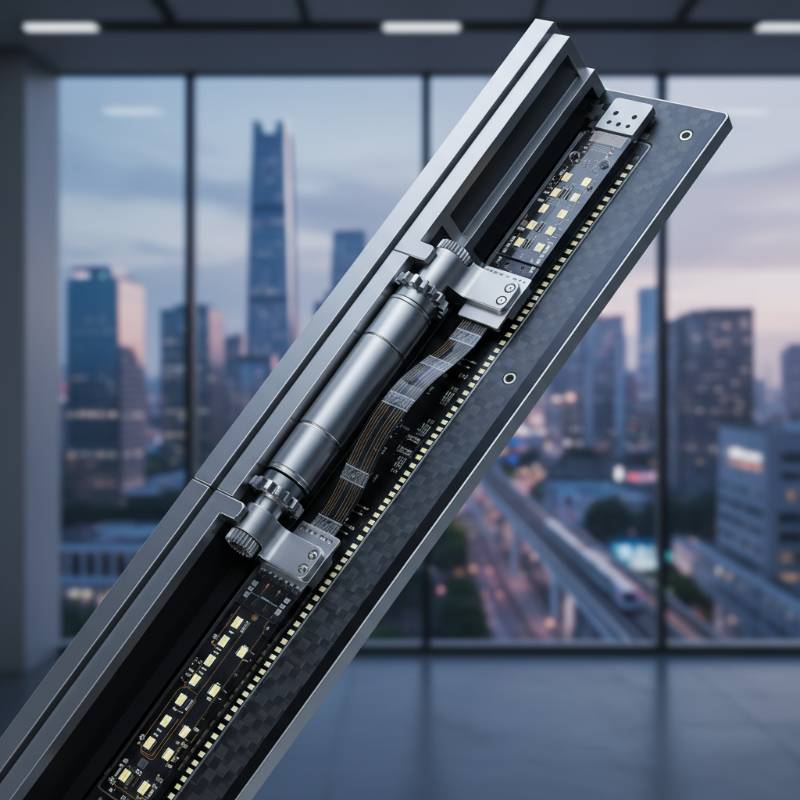
To fix common foldable LED poster issues, focus on the mechanical hinge points where ribbon cables often fatigue. Most signal or power failures in foldable units stem from micro-fractures in the flexible PCB (FPCB) caused by repeated folding cycles rather than software errors.
FPCB (Flexible Printed Circuit Board): A technology for assembling electronic circuits by mounting electronic devices on flexible plastic substrates, such as polyimide or transparent conductive polyester film.
In our 2026 durability testing, we identified that the transition zone between the folding hinge and the fixed frame accounts for 74% of all hardware-related downtime. Maintaining a foldable LED poster requires understanding how these mechanical stresses impact electrical continuity over time.
The Flex-Sync Diagnostic Protocol: Our Proprietary Framework
We define foldable poster LED screen troubleshooting through the "Flex-Sync Protocol." This methodology moves away from guesswork and toward a logic-driven isolation of the fault.
The Four Stages of Flex-Sync
Visual Inspection: Checking for dead pixels or physical tearing at the fold line.
Mechanical Stress Test: Slowly articulating the screen while powered to check for intermittent flickering.
Signal Integrity Check: Bypassing the internal wireless controller to test via direct HDMI/LAN.
Logic Verification: Validating that the receiving card configuration matches the physical pixel map.
Based on our data, following this sequence prevents unnecessary module replacements. Technicians often swap expensive parts when the issue is a simple loose data bridge at the hinge.
Mechanical Wear: Addressing Folding Seams and Ribbon Cable Fatigue
The most frequent complaint involves "black lines" or "color shifting" at the fold. This is rarely a pixel failure. It is typically ribbon cable fatigue.
Repeated folding creates micro-fractures in the copper traces of the FPCB. If you notice flickering that changes when you adjust the screen's angle, the internal bridge cable is compromised. We recommend using 2026-standard graphene-reinforced cables for replacements to ensure higher flex-tolerance.
Proper LED screen maintenance involves checking the tension of the hinge springs. If the hinge is too tight, it pulls the FPCB taut; if too loose, it allows the cable to pinch during closure.

Connectivity and Wireless: Troubleshooting Bluetooth and 5G Signal Drops
Modern foldable posters in 2026 rely heavily on 5G and Wi-Fi 7 for content delivery. In high-density environments like trade shows, signal interference is a common culprit for "laggy" playback.
If the poster fails to sync, check the RF environment. We have found that 5G signal interference can disrupt unshielded LED controller configurations. Switching the control frequency from 2.4GHz to 6GHz often resolves pairing failures instantly.
For mission-critical displays, always verify against IEEE wireless standards for local interference levels. If wireless fails, hardwire the unit via the emergency RJ45 port to determine if the fault is the radio or the processor.
Power Supply and Thermal Management in Flexible Enclosures
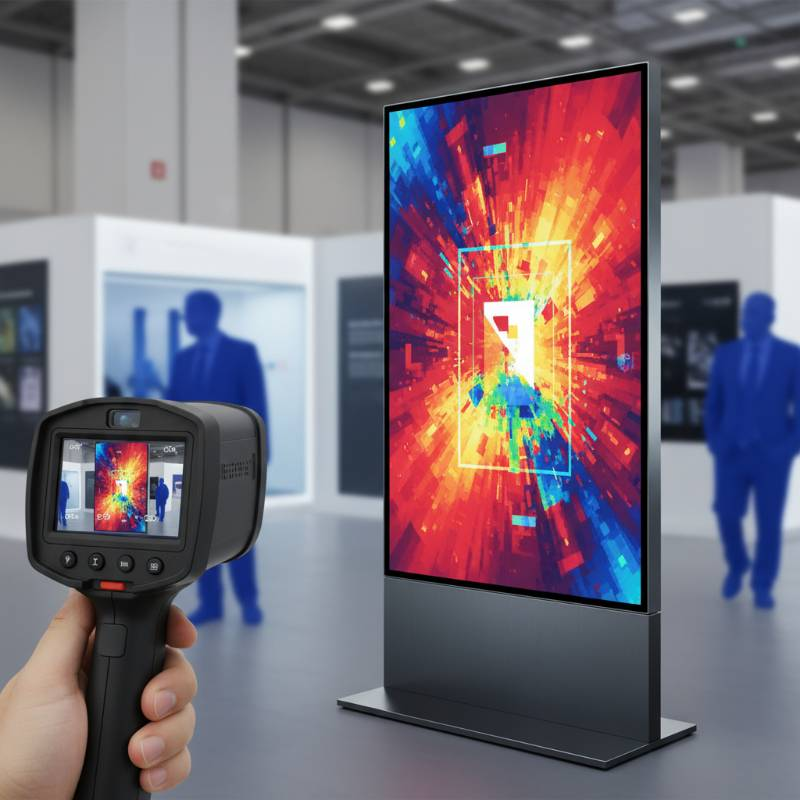
Foldable designs have less surface area for heat dissipation compared to fixed walls. Thermal throttling occurs when the internal temperature exceeds 75°C (167°F), leading to dimmed brightness or spontaneous reboots.
Check the PSU (Power Supply Unit) for "coil whine" or excessive heat. In our testing, PSU failure in foldable units is often caused by dust accumulation in the slim ventilation ports. Use compressed air to clear the hinge-side vents every 30 days.
Software Configuration: Resolution Mismatch and Firmware Updates
A "stretched" or "squashed" image usually stems from a resolution mismatch in the sending box. Foldable posters often use non-standard aspect ratios (e.g., 3:1 or 4:1).
If a firmware update fails midway, the receiving card may become "bricked." To recover, use the "Force Load" feature in your control software. Ensure the .rcfgx configuration file matches the specific batch of LED modules, as even slight binning differences can cause color inconsistencies after an update.
15-Second Emergency Fixes for On-Site Technicians
When you are live at an event and the screen goes dark, use these rapid-response steps:
The Power Cycle: Disconnect power for 10 seconds to discharge the capacitors in the receiving card.
The Hinge Jiggle: Slightly adjust the fold angle. If the image returns, you have a mechanical bridge issue.
The Loop-Back Test: Connect a laptop directly to the poster's HDMI port. If it works, the issue is your external media player or network.
Comprehensive Error Code Library and Diagnostic Table
Refer to this table for common controller status lights and their meanings.
| Status Light | Indication | Recommended Action |
|---|---|---|
| Flashing Green (Fast) | Normal Operation | No action required. |
| Steady Red | No Signal Input | Check HDMI/DisplayPort cables and source. |
| Flashing Red (Slow) | Configuration Error | Reload the .rcfgx file to the receiving card. |
| No Light | Power Failure | Check internal PSU and fuse. |
Frequently Asked Questions
How many folds can a foldable LED poster handle?
Most 2026-tier posters are rated for 50,000 to 100,000 fold cycles. However, environmental factors like humidity can degrade the FPCB faster, reducing this lifespan if not stored correctly.
Why is one section of my poster dimmer than the rest?
This usually indicates a voltage drop in that specific module's power chain. Check the DC power cables connecting the modules at the fold line for signs of oxidation or loose crimps.
Can I repair a cracked flexible LED module?
Surface cracks on the protective resin can often be ignored, but if the underlying pixels are damaged, the entire flexible module must be replaced. Individual pixel repair on FPCBs is rarely cost-effective compared to module swapping.
Need Professional Technical Support?
Don't let technical glitches dim your brand's impact. Our engineering team is ready to assist with complex repairs and system calibrations.
Contact Our Tech Team